

How to Copy, Paste & Rename Sections in Shopify
A simple way to duplicate and manage sections directly in Shopify’s Theme Editor

Shopify recently (May 2025) has made one of the most time-consuming tasks in theme editing a whole lot easier.
You can now copy, paste, and rename sections directly within the Theme Editor (Customise) - all without touching any code.
Whether you’re building out a new page, duplicating layouts for A/B testing, or trying different content blocks across your site, this feature saves time and keeps your workflow smooth.
Let’s walk through exactly how it works and where it’s most useful.
What’s New in Shopify Customise?
Previously, if you wanted to reuse a section layout, say a featured collection, an image banner, or a testimonials block, your options were clunky:
Manually recreate the section and reconfigure each setting
Duplicate and edit Liquid files (not ideal for no-code users)
Use metafields or custom apps for dynamic layouts
Now? You can right-click inside the Theme Editor and choose:
Copy Section
Paste Section
Duplicate Section
Rename Section
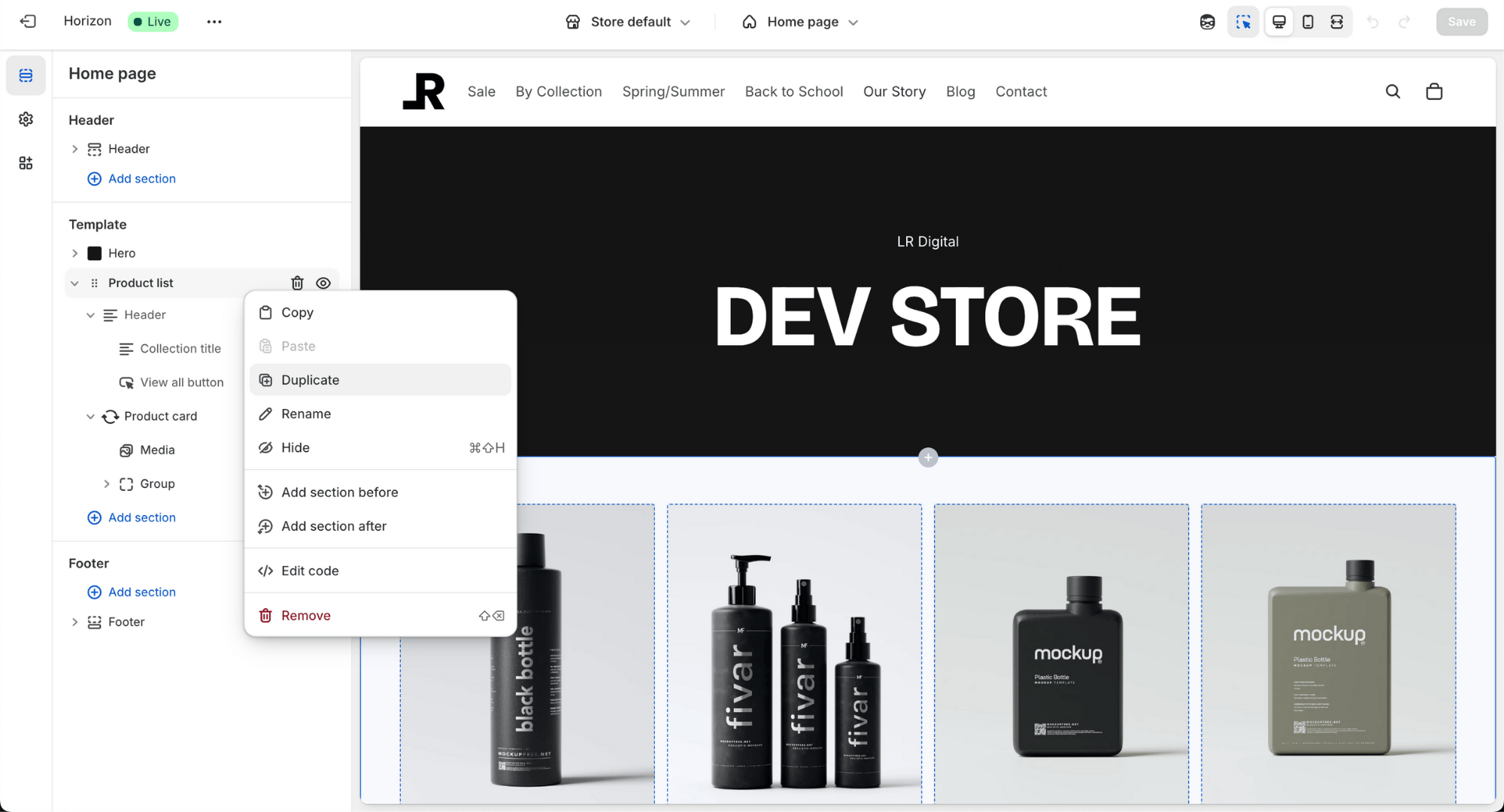
That’s it. It’s as easy as copying and pasting text in a doc.
How to Copy and Paste a Section
Here’s how to use the new feature step-by-step:
Open Online Store > Themes > Customise on your Shopify admin.
In the left panel, hover over the section you want to duplicate.
Right-click and choose Copy section.
Navigate to the part of the page where you want to insert it (this could also be on another template - not just on the same page).
Right-click again and hit Paste section.
The new section will appear with all the content, settings, and styles intact, including images, text, links, and colours.
Perfect for when you want to repeat a layout on a long-form homepage or replicate a tested block on a product or landing page.
How to Rename a Section
Renaming might not sound like a big deal, but when you’re managing a long list of sections in Customise, especially on complex pages, it’s so helpful to be able to label them clearly.
For example, take a look here:
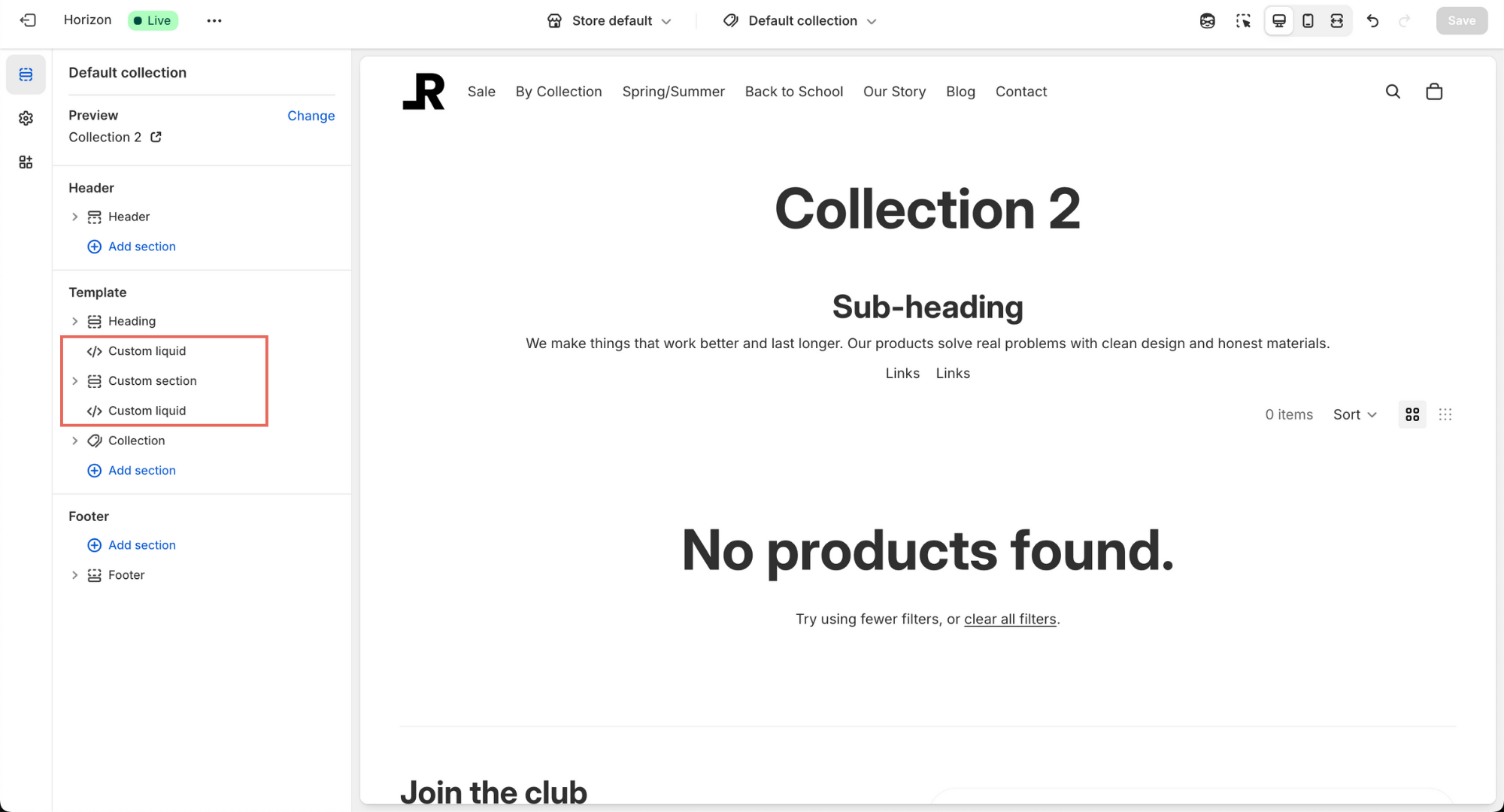
We have 3 custom sections and it's not clear which section is (not without clicking into each one at a time).
So the best way is to rename them to something that is clear and easy to understand at a glance, like this:
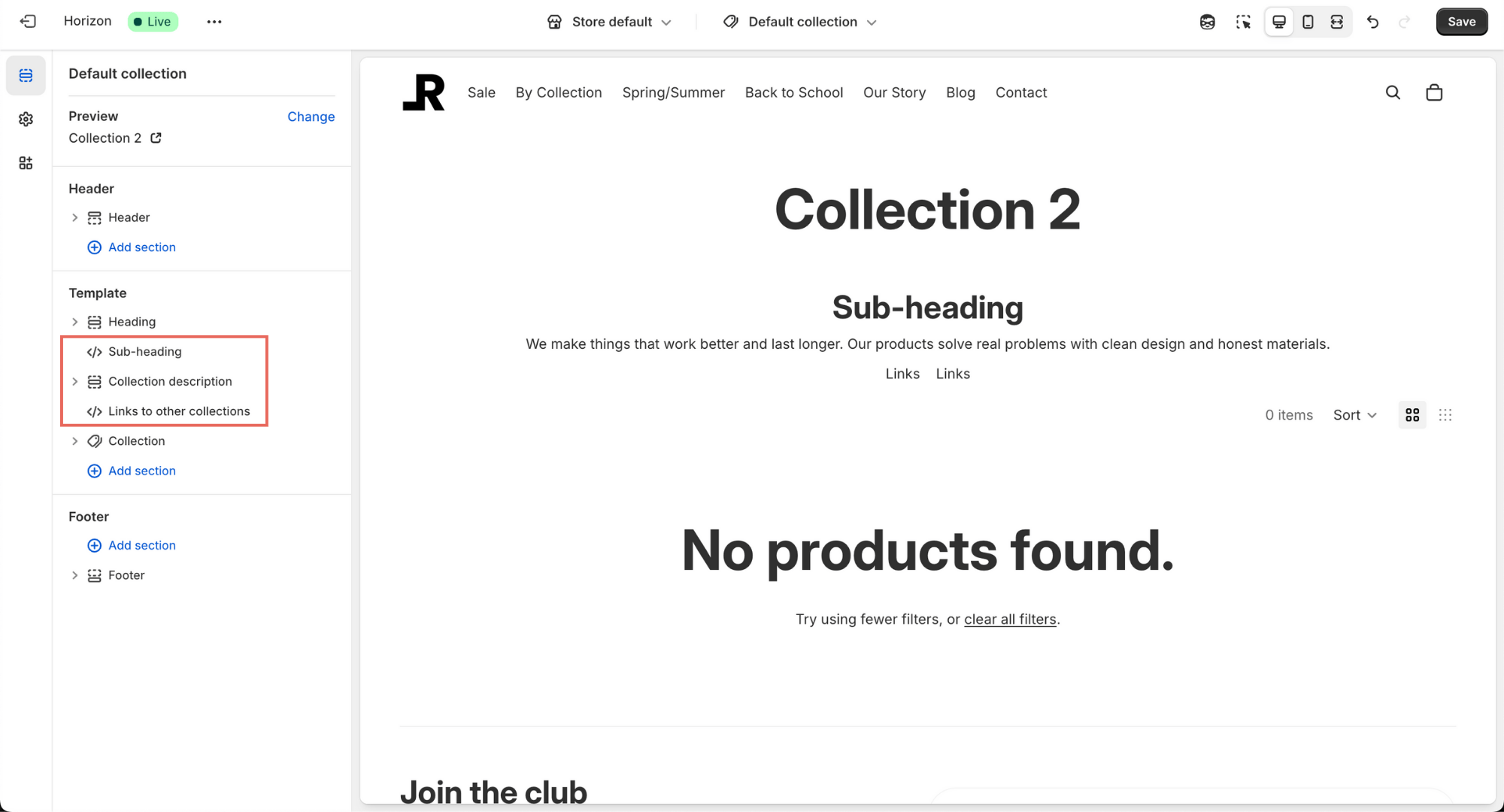
Here’s how to rename a section:
Hover over the section title in the sidebar
Click the three-dot menu or right-click the section
Select Rename
Type in a name that helps you identify it (e.g. “Collection description” or “Links to other collections”)
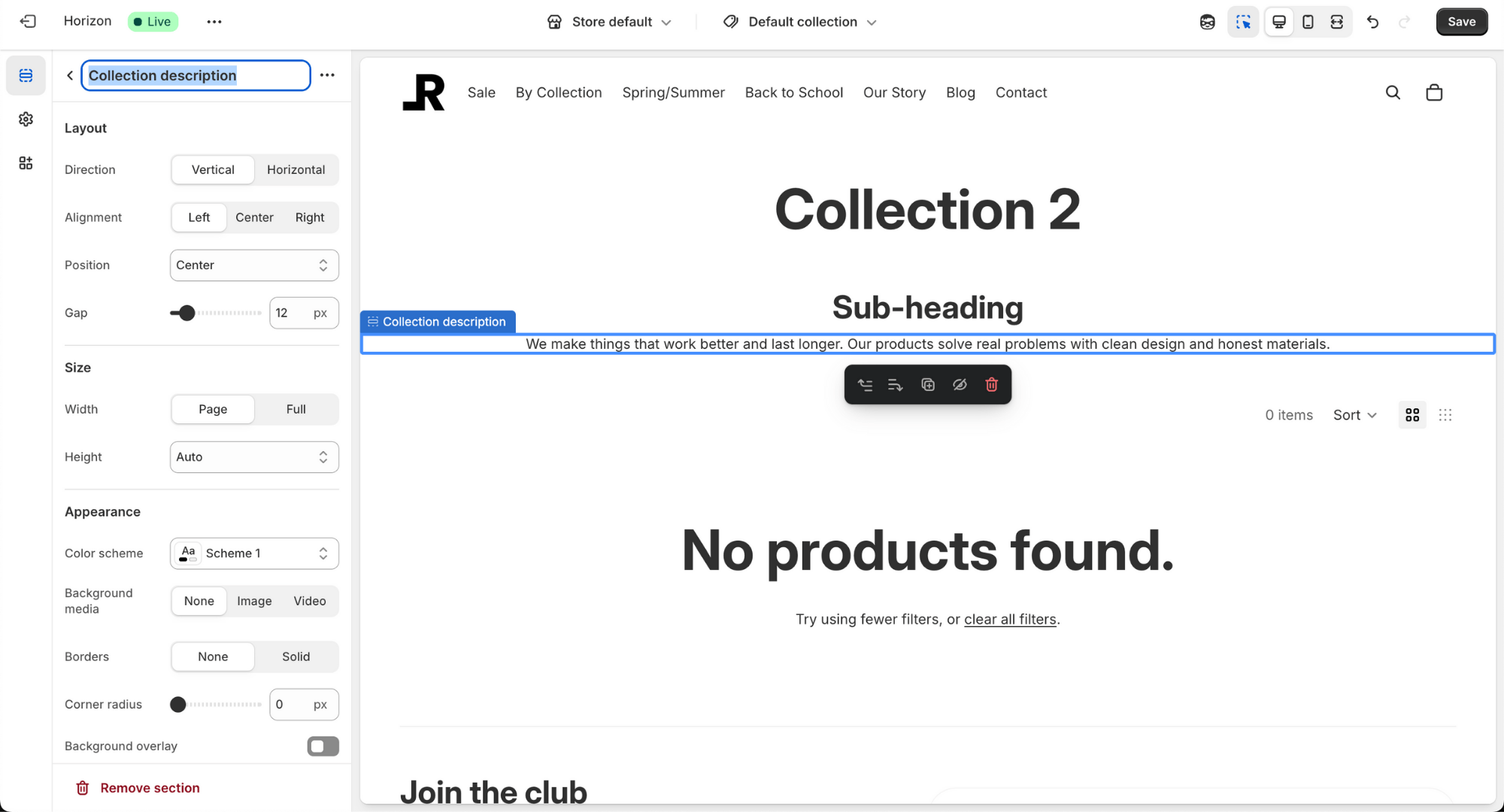
This is especially useful for developers handing off builds to clients, no more explaining “rich-text-2” vs. “rich-text-3” over emails!
Use Cases and Ideas
This feature isn’t just about convenience, it unlocks better workflows and faster site changes. Here are a few use cases where it really shines:
Seasonal Layouts
Want to reuse a specific section from your Black Friday landing page for Christmas? Just copy it, paste it, tweak the colours and text, and you’re good to go.
A/B Testing
Try two different content block orders or CTAs on alternate versions of a page. Copy and paste makes it easy to create duplicates and test what works.
Client Handover / Multiple Users in Customise
When you're handing a store build to a client, or multiple colleagues working in customise, renaming sections helps make the backend more readable and intuitive. Instead of "Image Banner 1", it's "Main Hero - Black Friday Banner".
A Few Notes
Only works within Customise - this feature is native to the Theme Editor UI and doesn’t affect code.
Works across templates - you can copy from one page (like Homepage) and paste into another (like a custom product or landing page template).
Not available in older themes - if you're using a theme that doesn't support Online Store 2.0 or is missing recent updates, you might not see this yet.
If you're building themes for clients or managing your own brand, make sure you’re using an up-to-date 2.0 theme like Shopify Horizon or a supported premium theme from the Shopify Theme Store.
Final Thoughts
This new feature is one of those quality-of-life updates that makes everyday site work faster and more enjoyable.
It’s especially helpful for merchants who want more flexibility without relying on developers or diving into code.
With the ability to copy, paste, and rename sections in Customise, you can build faster, experiment more easily, and hand off cleaner sites to clients or teams.