

Shopify’s New Human/Bot Traffic Filters
Get Clearer Insights Into Real Customer Behaviour

Shopify has just rolled out a powerful new analytics enhancement - the ability to filter out bot traffic from your reports. This feature gives merchants more accurate, human-focused insights by separating genuine customer sessions from automated or bot-driven activity.
For store owners, this means clearer data, more reliable conversion rates, and a better understanding of how real people are engaging with your brand.
Why This Matters
Bot traffic - whether from search engine crawlers, scrapers, or automated testing tools can heavily distort your analytics. These visits inflate session counts, lower conversion rates, and make it difficult to distinguish between true customer behaviour and background internet noise.
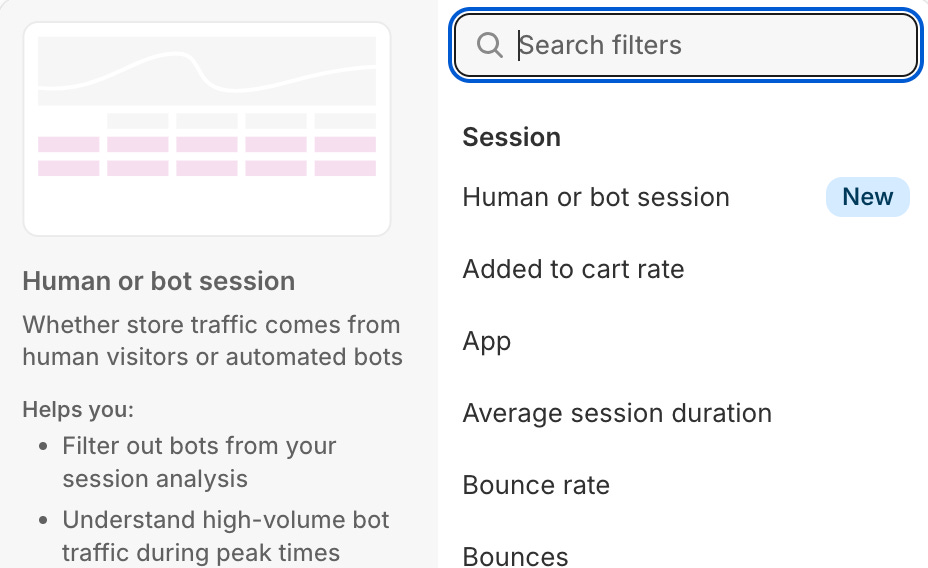
By introducing the “Human or Bot session” filter, Shopify helps merchants:
Get accurate conversion metrics by focusing only on genuine visitor sessions.
Understand true marketing performance, since referral and campaign data now reflect real customers, not bots.
Identify unusual traffic patterns - for example, sudden spikes that may be bot-driven rather than actual demand.
Optimise ad spend and channel performance by removing misleading data.
In short, this update helps ensure your analytics reflect real store performance, not automated noise.
What’s New
Shopify’s update introduces two new ways to work with this data in your analytics:
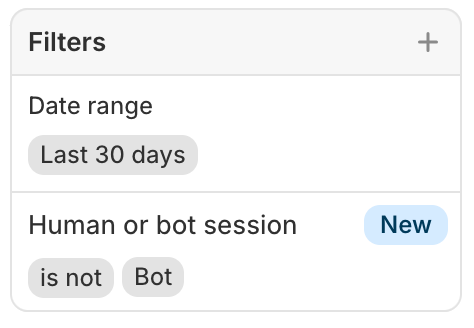
1) Human or Bot Session Filter
Use this filter in any sessions-related report to include or exclude bot traffic.
Choose “Human” to focus only on real customer visits, or “Bot” to understand how much automated traffic you’re receiving.
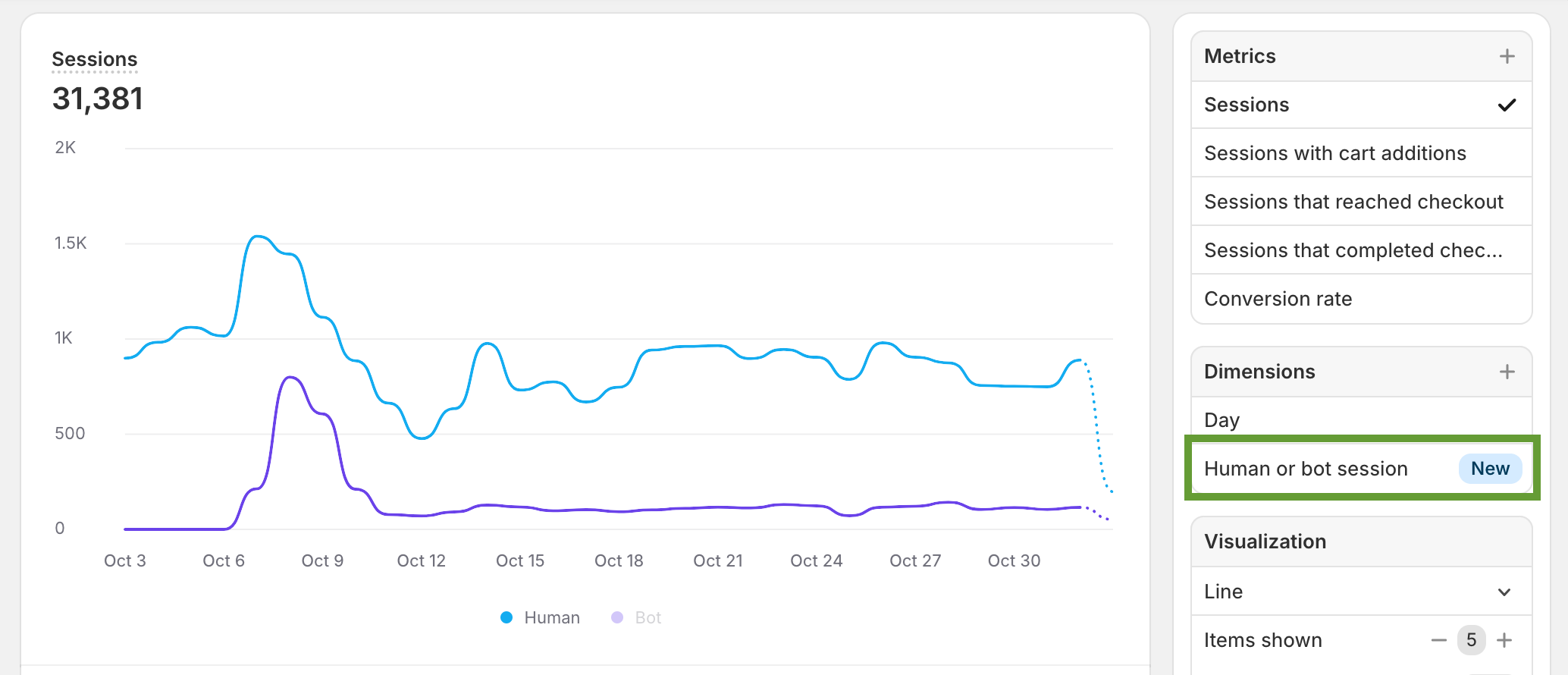
2) Human or Bot Session Dimension
Add this dimension to your reports to drill down and compare human vs. bot trends side by side.
For example, you can identify which referral sources or campaigns are attracting bot traffic, versus which ones drive legitimate shoppers.
How to Use the Filter
Using the new filter is simple:
Go to Shopify Analytics → Reports → Sessions (or any session-related report).
Click “Add filter” and select “Human or Bot session.”
Choose the traffic type you want to analyse:
Human - View only real customer sessions.
Bot - See automated visits for diagnostic purposes.
(Optional) Add it as a dimension to compare traffic types in a single report view.
This flexibility allows you to toggle between comprehensive and filtered views of your traffic - perfect for marketers, analysts, and growth teams who rely on data accuracy.
Practical Use Cases
Here are a few ways you can leverage this new feature:
Refined Conversion Tracking: Filter for “Human” sessions to see your true conversion rate and checkout behaviour.
Campaign Quality Analysis: Evaluate which ad networks, influencers, or referral partners bring authentic visitors versus bot-driven clicks.
Bot Monitoring: Check the “Bot” filter occasionally to monitor and identify sources of automated traffic that may need mitigation.
Trend Comparison: Use the dimension view to visualise human vs. bot session trends over time and assess if bot traffic is rising.
The Bottom Line
Shopify’s new Human/Bot Traffic Filter now gives us direct control over which traffic types appear in our reports, it ensures that decisions are based on real human behaviour which are not inflated by bots.
So next time you open your Analytics dashboard, don’t forget to add the new “Human or Bot session” filter - and get a clearer view of how your actual customers are engaging with your store.
If you require any assistance in generating better reports for your Shopify store, feel free to get in touch or check the following: